This item is currently out of stock.
This product was designed by Sonocotta store.
By buying this product you support original hardware creators.

.JPG)


Louder Esparagus is a top-of-the-range Esparagus model that uses modern, highly capable TAS5805M DAC together with ESP32 MCU and is aimed to be paired with medium-to-large speaker systems. With 25W per channel stereo output, it packs a punch and can easily enliven living quarters or dorm rooms.
It is highly efficient, but much more demanding for power when cranked; therefore, it uses either a USB-C Power Delivery to pull up to 65W from the wall power adapter or an external power source for the NOPD variant.
It can be used both with Wi-Fi and Ethernet (to make sure bad Wi-Fi would not interrupt the stream)
| USB-PD | NOPD |
|---|---|
I did a few audio projects in the past, some using ESP32, some using larger Orange Pi and Raspberry Pi devices. Each has its pros and cons, and with each iteration, I'm trying to focus on the details that were working best for me, while actually using them.
What I like about ESP32 is how lightweight it is. It barely draws power, so you may not care to turn it off at all. It boots in seconds and is ready for use in a snap. Still, it is capable and works at par with Linux SBC solutions for audio applications, while costing a fraction of their price. Combined with a proper Hi-Fi DAC, you would not tell a difference to commercial devices standing side by side and costing much more.
Over the last few years, I have seen a few amazing software products created to deliver audio on the ESP32, like squeezelite-esp32 or euphonium. Esparagus media center devices are designed specifically to run these great pieces of software and bring a new life into aging audio equipment that most of us have at home but do not use that much these days, since it is not working with Spotify and the family.
| Louder Esparagus | Esparagus Audio Brick | |
|---|---|---|
| MCU | ESP32-WROVER-N8R8 | ESP32-WROVER-N8R8 or ESP32-S3-WROOM-N8R8 |
| DAC | Stereo I2S DAC (TAS5805M) with built-in D-Class amp | Stereo I2S DAC (TAS5825M) with built-in D-Class amp |
| Output (4Ω, 1% THD+N) | 2x 32W | 2x 45W |
| Output (8Ω, 1% THD+N) | 2x 23W | 2x 30W |
| Output (Bridge, 4Ω, 1% THD+N) | 1x 45W | 1x 53W |
| IR reader | ✅ | ❌ |
| RGB LED | ✅ | ✅ |
| I2S Microphone | ❌ | ✅ |
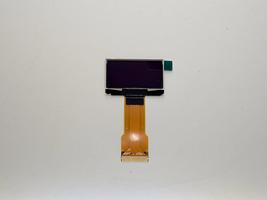
| OLED screen | ✅ | ✅ |
| Flash/PSRAM | 8MB/8MB | 8MB/8MB |
| Connectivity | WiFi + BT4.2 + BLE + Ethernet | WiFi + BT4.2 + BLE + Ethernet |
| Case | 88 x 38 x 100 mm Aluminum case | 110 x 100 x 50 mm DIN-rail mountable case |
| Power requirement | Generic power adapter 5..28V or USB-PD capable power adapter | Generic power adapter 5..28V |
| Software support | ||
| Squeezelite-ESP32 | ✅ | ✅ |
| Snapclient | ✅ | ✅ |
| ESPHome (HA) | ✅ | ✅ |
⚠️ Louder boards will connect to passive speakers; you can't use headphones or an external amp
💡 Need to connect an external amp? Check out HiFi Esparagus and Amped Esparagus
💡 Don't need DSP capabilities? Check out Loud Esparagus
💡 Looking for a more cost-efficient version? Louder-ESP32 / Louder-ESP32-Plus
Audio streaming requires proper buffering to work, even with the ESP32's 500K of RAM; it is a challenging task. For that reason, all Louder-ESP32 board versions have an 8 MB PSRAM chip onboard, connected via a high-speed interface.
This board is available with either the 'classic' ESP32 or the newer ESP32-S3. They are not interchangeable for every use case, and picking the wrong one is the single most common support question — here's the short version:
| Your use case | Pick |
|---|---|
| Bluetooth A2DP from a phone/laptop | ESP32 |
| Squeezelite-ESP32 or standalone Snapclient | ESP32 |
| ESPHome media player / Sendspin | ESP32-S3 |
| Home Assistant voice assistant | ESP32-S3 |
| AirPlay 1 & 2 | Either — ESP32-S3 for more headroom |
If none of that applies to you and you just want the safe default, pick ESP32-S3 — it's the newer chip. Only choose classic ESP32 if you specifically need Bluetooth A2DP, or plan to run Squeezelite-ESP32/Snapclient today.
| I2S CLK | I2S DATA | I2S WS | PSRAM CE | PSRAM CLK | DAC EN (MAX98357A) | |
|---|---|---|---|---|---|---|
| ESP32 | 26 | 22 | 25 | 16 | 17 | 13 |
| SPI HOST | SPI CLK | SPI MOSI | SPI MISO | LAN RES | LAN CS | LAN INT | OLED DC | OLED CS | OLED RST | |
|---|---|---|---|---|---|---|---|---|---|---|
| ESP32 | 2 | 18 | 23 | 19 | 14 | 5 | 35 | 4 | 15 | 32 |
| I2C CLK | I2C DATA | PWDN | FAULT | |
|---|---|---|---|---|
| ESP32 | 27 | 21 | 33 | 34 |
| USB-PD EN | USB-PD POWER GOOD | IR INPUT | WS2812 RGB LED | |
|---|---|---|---|---|
| ESP32 | 13 | 36 | 39 | 12 |
Louder Esparagus runs rbouteiller/airplay-esp32, an open-source AirPlay 1 & 2 receiver you can flash straight from your browser via the web-installer — no PlatformIO or toolchain required. It's a separate firmware image from Squeezelite-ESP32 and Snapclient above, so flash whichever matches how you want to use the board.
AirPlay 2 support above isn't just playback — it exposes the TAS5805M's on-chip DSP in full from the board's web UI:
| A | B |
|---|---|
Work in progress: REW (Room EQ Wizard) integration, to drive automatic room-correction algorithms directly from a measured response.
Both HiFi Esparagus versions were created specifically to be used with Home Assistant via ESPHome integration. For both boards, rich configs were pre-created with hardware configuration for common use cases. These include
Configurations are being actively maintained and upgraded, new experimental components added for you to test and enjoy
Please visit the hardware section for board schematics and PCB designs.
TAS5805M DAC Allows 2 modes of operation - BTL (stereo) and PBTL (parallel, or mono). In Mono amp will use a completely different modulation scheme and basically will fully synchronize output drivers. Jumpers on the board allow both output drivers to connect to the same speaker. The most important step is to inform the Amp to change modulation in the first place via I2C comman. In the case of sqeezelite DAC controlsset value is the following: dac_controlset: {"init":[{"reg":3,"val":2},{"reg":3,"val":3},{"reg":2,"val":4}],"poweron":[{"reg":3,"val":3}],"poweroff":[{"reg":3,"val":0}]}
compared to default: dac_controlset: {"init":[{"reg":3,"val":2},{"reg":3,"val":3}],"poweron":[{"reg":3,"val":3}],"poweroff":[{"reg":3,"val":0}]}
One can test audio with a single speaker connected between L and R terminals (plus on one side and minus on the other). Optionally, jumpers on the board will effectively connect the second driver in parallel doubling the current capability.
Important point, this will send only one channel to the output, that’s just how the DAC works. True mono as (L+R)/2 is possible via more in-depth configuration (very poorly documented), but I haven’t managed to configure that on the stand. I’m still working on that. (Along with a few more really cool DSP features that this DAC has, like EQ, subwoofer mode and tone compensation settings)
| BTL | PBTL | |
|---|---|---|
| Descriotion | Bridge Tied Load, Stereo | Parallel Bridge Tied Load, Mono |
| Rated Power | 2×23W (8-Ω, 21 V, THD+N=1%) | 45W (4-Ω, 21 V, THD+N=1%) |
| Schematics | ||
| Speaker Connection |
Starting from Rev E, an additional header is exposed to allow datasheet-specced connectivity
| Image | Legend |
|---|---|
| Stereo Mode - leave open | |
| Mono (PBTL) Mode, close horisontally |
The TAS5805M DAC has a very powerful DSP, that allows doing lots of data processing on the silicon, that otherwise would take a considerable part of your CPU time. As of the moment of writing it is mostly an undiscovered part of the DAC, since unfortunately, TI is not making it very easy for developers. (A minute of complaint) To be more specific, you need to be (A) a proven hardware manufacturer to get access to the configuration software, namely PurePath. (B) you need to apply for a personal license and go through an approval process, and after a few weeks of waiting you get access to one DAC configuration you asked for. (C) You find out that it will work with TI's own evaluation board that will set you back $250 if you'd be able to find one. Otherwise, all you have is a list of I2C commands that you need to transfer to the device on your own cost. No wonder no one knows how to use it.
But moanings aside, what do you get after:
At this moment it is very experimental. In the perfect world, you should be able to adjust all of those settings to make your speaker-enclosure setup work the best it can, and even apply your room factors into the equation. It is a work in progress.
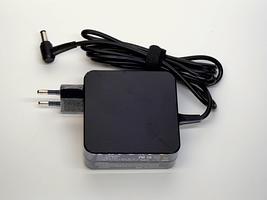
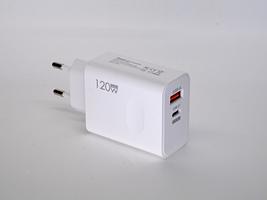
The Louder Espragus can be quite a power-hungry device, simply using 5V over the USB-C is clearly not an option. The intention for using a PD-enabled power adapter to run the board is simplicity and ease of use for customers. Ideally, you should supply a 20V 3.25 Amp capable power source, which is common for modern laptops (Dell, HP, and Lenovo have all tested and work perfectly). However, pretty much any 9V/12V/20V PD-enabled power adapter will work, most typically phone chargers with a quick charge option. The smallest of the family is a 25W model, which is plenty enough for a living space.
The interesting part was all the phone and laptop chargers I used for the test (around five different makes of each), sounded great, with no hissing, no popping. (Apart from the Apple ones, they didn’t work. Likely they have Apple-specific PD protocol). This is probably because modern devices have become so noise-sensitive that manufacturers have been forced to do good work on noise levels.
Because USB-PD is a bit of a Wild West in terms of standards, sometimes not everything goes as designed. Some people have run into this with power adapters that aren’t fully PD-standard compliant. In most cases, the worst that happens is the PD chip doesn’t trigger the 20V mode, so the Esparagus runs at around 5W per channel (which you might not even notice). One person reported that an older adapter somehow triggered just 1V on the USB-C power line, shutting down the Esparagus shortly after plugging in. Thankfully, we’ve confirmed that it works correctly with newer laptop adapters.
The power adapter specs depend on the speaker you're planning to use. DAC efficiency is close to 100%, so just take the power rating of your speaker (say 2x10w), and impedance (say 8 ohms) and you'd need at least 9 volts rated at 1.2 amps per channel, round up to 3 total amps.
It is not recommended to go beyond the voltage your speakers can take, otherwise, the amp will blow your speakers in no time.
The absolute maximum voltage for the TAS5805M DAC is 30V, but it is not guaranteed to be thermally stable in this condition.
New restock batches are regularly ordered from the factory, and I plan to keep all versions available at least until the next board revision is released. For current availability, you can also check the official reseller Elecrow.
Due to the new tariffs introduced by the Trump administration, standard shipments are temporarily on hold. However, shipping to the US has now resumed via UPS, though rates are currently quite high. I’ll fully resume regular shipping as soon as the restrictions are lifted. In the meantime, you may consider ordering through Elecrow.
If you’re working on an open-source project, an educational initiative, or any pro-bono/volunteer effort, feel free to reach out for sponsorship details. I’ll do my best to provide discounts or even free boards.
If you’re interested in a custom design based on, or inspired by, my boards, I also offer contract design work and consultation when needed.
Most orders are shipped the next business day morning. All shipments are tracked. Delivery time in the EU is 3-7 days, outside 2-3 weeks, depending on the distance. After 30 days, the package is considered lost - reach out for a refund or replacement.
